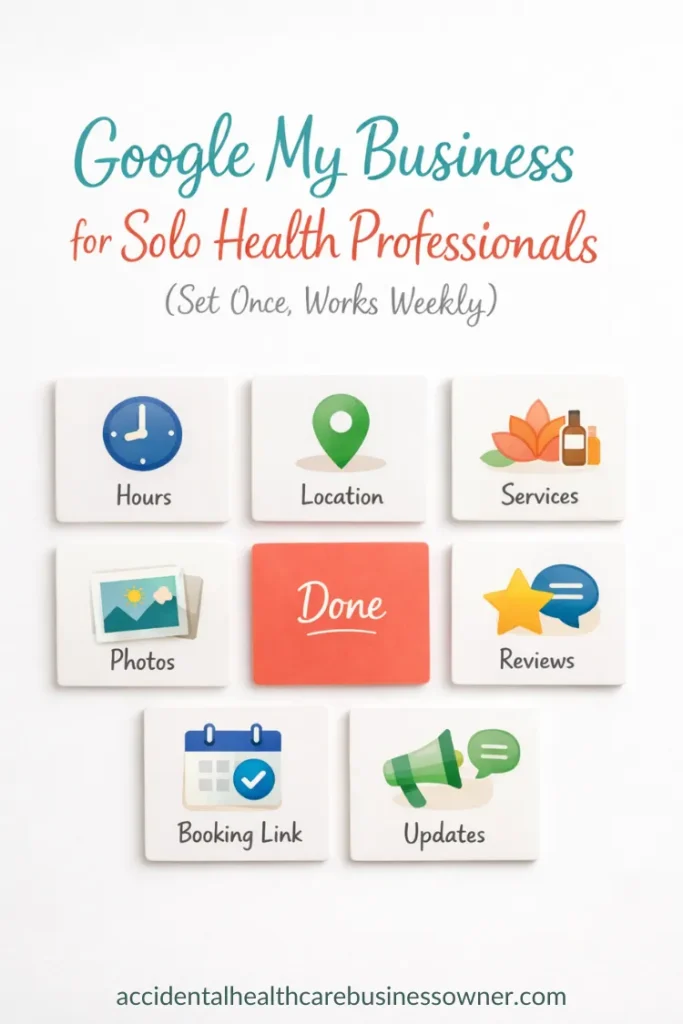
Google My Business for Solo Health Professionals: Set It Up Once and Get Found Every Week
When someone searches “physio near me” or “acupuncturist open now” to find solo practitioners in local search results, they’re not looking for a marketing masterpiece. They’re looking for clear facts, fast. Where are you, are you open, can they book, and do you seem trustworthy?
That’s why your Google Business Profile matters. It often becomes your first impression, before your website, before a phone call, before a referral even.
Set up well, it does quiet, steady local SEO work in the background. You don’t need fancy tricks. You need accurate basics, a calm description, and a light maintenance routine that keeps you looking active and reliable.
Why a Google Business Profile earns its place on your to-do list
Your Google Business Profile (often still called Google My Business) is what shows up in Google Search and Google Maps when someone is looking for their local health and wellness practice. It’s the box that displays the essentials at a glance, so a potential client can decide in seconds whether to contact you.
Used well, Google Business Profile can help solo health professionals show up consistently, without paying for ads, as long as you optimize your profile and keep it active. Your profile’s visibility depends on factors like relevance, distance, and prominence – here’s how Google decides which businesses appear first.
Here’s what it does for you:
This applies whether you’re a solo acupuncturist, physio, chiro, massage therapist, clinician, or any one-person practice. It also works if you practise from a home clinic, a rented room, a multi-practitioner space, or you do mobile visits. If you’re mobile, your address settings need extra care so people don’t accidentally show up at your home.
If you have access to the free setup checklist mentioned in the video, keep it nearby. It helps you move step-by-step, without missing the fiddly bits.
Gather your private practice details first (so Google trusts what it sees)
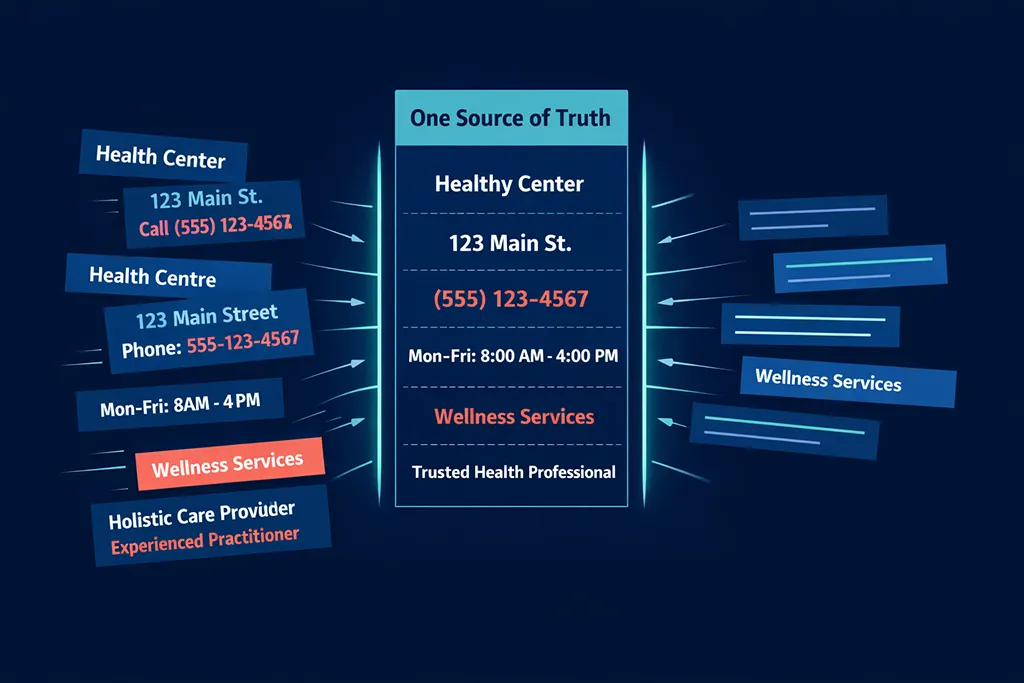
Before you touch the profile, pull your practice details into one place. This is less about admin neatness and more about consistency. Google looks for matching details across the web to decide whether your business is real and reliable.
The big one is NAP:
Your NAP details should match everywhere you use them, including your website header and contact page, invoices, signage, directories, and social media profiles. When your details wobble between versions, Google has a harder time connecting the dots.
Here’s what to gather before you begin:
Your business name (exactly as used in real life)
Use the name clients would see on a sign, invoice, or website header. Keep the same spelling, spacing, and format everywhere.
Your address plan
Decide what you’re comfortable showing. If clients come to you, you’ll usually show the address. If you’re mobile, you may need to hide your address and set a service area instead, depending on how you work.
Your main phone number
Pick the number you actually answer, or one with voicemail you listen to regularly. This is not the place for a number that never gets checked.
A booking link (or a website URL)
Online booking is ideal, but a clear contact page works if booking is manual. The important thing is that the link helps someone take the next step.
A short services list
Aim for a few core services. Long lists often confuse people, and they can muddy what you want to be known for.
A handful of real photos
Start with five. You can add more later, but having a basic set early makes the profile feel legitimate and cared for.
Consistency builds trust, and trust helps visibility.
Claim or create your profile (and make sure you own it)
Start by searching your business name in Google Search and Google Maps. Sometimes a business listing already exists, even if you never set it up. If it does, claim your profile.
If nothing shows up, create a new profile through Google Business Profile.
When you set this up, use a Google account you control. Not your receptionist’s, not a partner’s, not the shared clinic email that everyone forgets the password for. Owner access should sit with you.
A simple way to handle access:
Once you begin the setup and verification process, try not to keep changing core details during the verification method. Big edits can slow things down.
Fill in the basics that make or break trust
The basics are boring, which is exactly why they work. A clean, accurate profile helps people feel confident contacting you. It also helps Google assess relevance and understand what you do and where you do it, boosting your local ranking.
Business name: keep it real, keep it clean
Use your real-world business name only. Don’t add extra services or locations into the name to try to rank for more searches. A name like “South Scarborough Acupuncture” makes sense. A name like “South Scarborough Acupuncture Cupping Fertility Pain Relief” looks spammy, and it can cause problems.
If you use a personal brand as a clinician, keep it simple and consistent, for example “Jane Smith Physiotherapist”. Then make sure that same format appears on your website and social profiles.
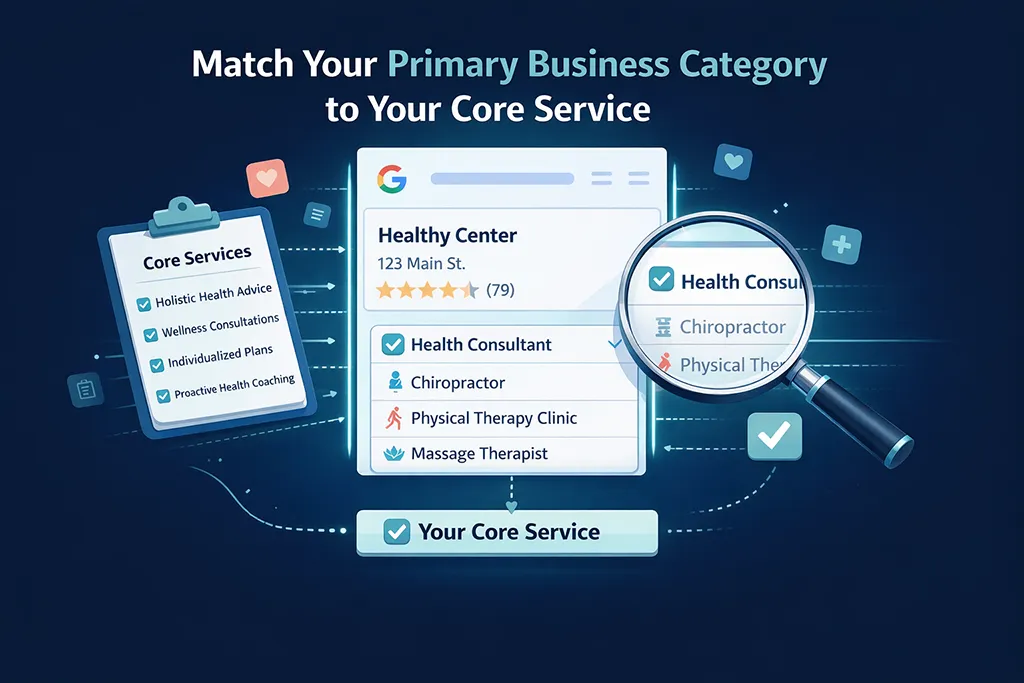
Categories: choose what you want to be known for
Your primary business category should match your core service. If you want to be found as an acupuncturist, choose that as the primary category.
Add secondary categories only when they’re truly part of your practice and you want to attract those searches. Adding everything “just in case” can confuse clients and also confuse Google.
Address and service area: match your real setup
If clients come to you, show your address. If you rent a room inside another business, add your suite or room number if you have one.
If you offer telehealth, it helps to have a base location if you genuinely have one, and list telehealth as a service rather than using a pretend address.
If your address is tricky (shared buildings, odd entrances, rear laneways), make sure the address format matches your website contact page. Google likes consistency, and so do humans trying to find you for the first time.
Set hours, phone, and booking links so people can actually act
A practitioner listing that looks good but doesn’t help someone book is like putting a lovely sign on a door that won’t open.
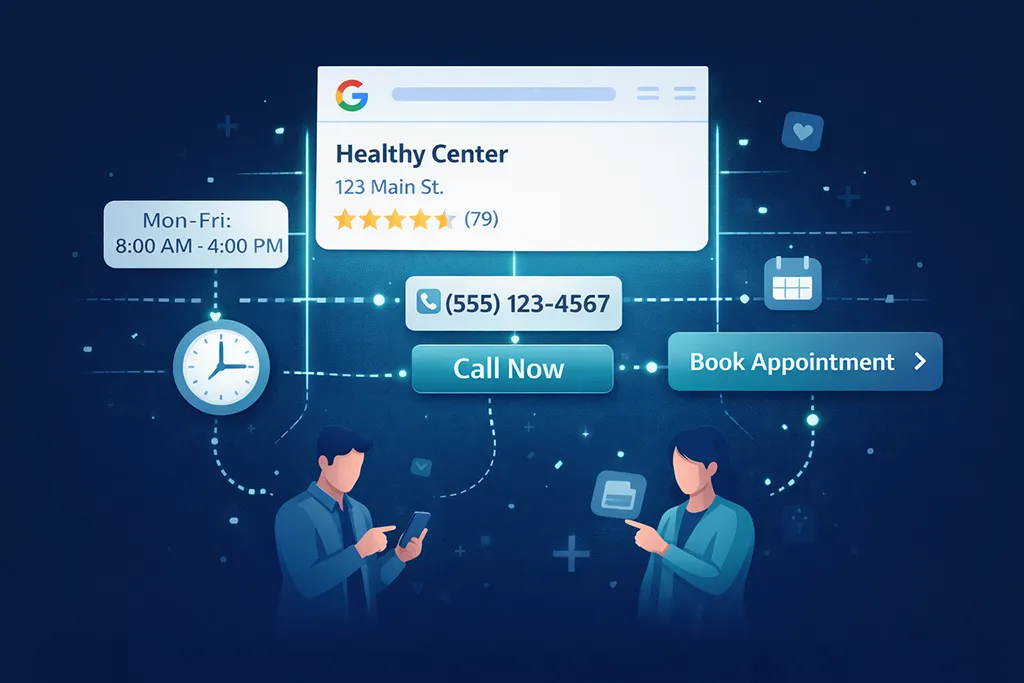
Business hours: set what’s true, and use special hours properly
Set your regular weekly hours to match reality. If you only work three days, that’s fine. Clear is better than “technically available” hours that don’t reflect how you operate.
Use special hours for public holidays, training days, and planned closures. Don’t leave holiday hours blank. It can make you look closed, or unreliable, even when you’re not.
Phone, website, and booking: reduce friction
Use one main phone number, ideally the same as your website. This keeps your NAP consistent and avoids confusion.
Add your website as your main link. Then add your best appointment booking URL. If you use an online booking system, link directly to it. If booking is manual, link to a clear “Book an Appointment” or contact page.
If your booking page is long or confusing, fix that before you send more traffic to it. A profile can get you found, but your booking page still has to do its job.
Write a calm description, add a few services, and upload photos that answer real questions
This is the part where you can sound like a real person, not a brochure.
Your business description: clear, human, and specific
Aim for a description that reads like how you’d speak to a new client. Keep it kind, straightforward, and free of hype.
Include:
Avoid big claims or guarantees. Also avoid walls of text. People skim, especially when they’re deciding who to contact.
A simple mental check: if someone read only your description and hours, would they know what you do, who it’s for, and how to book?
Services: list your core offers, not every possible option
Add your core services with short descriptions. For example:
If appointment length is fairly consistent, include an estimate. If your pricing is stable, you can include it too. If time or price changes a lot, it’s better to leave it off and explain it properly on your website.
Use search terms people actually use, but only when they’re an honest match. For example, only list “pregnancy acupuncture” if you have the training, you take those clients, and you want to be known for it. Otherwise, you’re setting yourself up for disappointed enquiries (and those don’t turn into happy reviews).

Photos: help people feel safe before they arrive
Photos aren’t decoration. They answer the quiet questions people don’t always ask, and well-chosen photos alongside your business description boost search engine optimization for better visibility:
Where do I park? What’s the entrance like? Is it clean and private? Who am I going to see?
Visual cues like entrance photos also help patients assess distance and proximity when choosing a provider.
Start with:
Stock photos can work in a pinch, but real photos build more trust. If you need a stock image to show what a treatment might look like, keep it minimal and make sure the rest of your photos are genuinely yours.
Keep your profile active with light, regular check-ins
Once your profile is set up and verified, you don’t need to fuss with it daily. You do need to show signs of life, because an abandoned profile looks like an abandoned practice (even when you’re booked out). Active engagement like this boosts your profile’s prominence in search results.
Customer reviews: respond, but keep it general
Reply to reviews, including the awkward ones. Keep your replies general and don’t confirm that someone is your patient. Avoid clinical details.
Also skip offering gifts or discounts for reviews. It looks spammy, and it can create trust issues.
A simple review reply style works well: thank them, keep it warm, and stay general.
Posts: short updates that keep you looking current
Google Business Profile posts can be used for:
Keep posts short, with one clear call to action. Once a week or every two weeks is plenty.
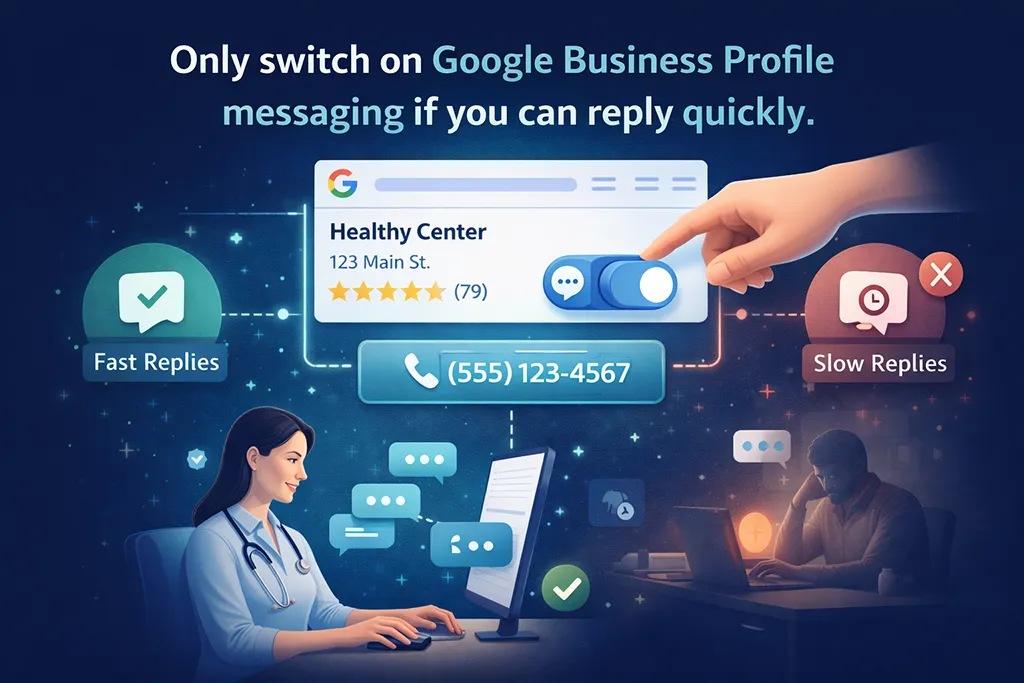
Messaging: only switch it on if you can reply quickly
Messaging can be useful, but only if you can respond fast. If you can’t, it’s better to leave messaging off and direct people to call or book.
If you do use messaging, set an auto-reply so people know what to expect (and so you don’t look like you’ve vanished into the void).
Google Q&A and attributes: small details that help people choose you
Add common questions, then answer them clearly, like you would on the phone.
Good questions to add:
Add attributes and accessibility info that are true for you, such as wheelchair access, toilets, parking notes, and appointment requirements. Don’t add features you can’t provide. These details can genuinely be the deciding factor for a new client.
If you’re in a regulated profession, keep your wording aligned with your board rules.
Common mistakes to avoid, plus a simple maintenance plan
Most Google My Business profile problems come from trying to outsmart the system, or from setting everything once and never looking at it again.
Here are the biggest pitfalls to skip:
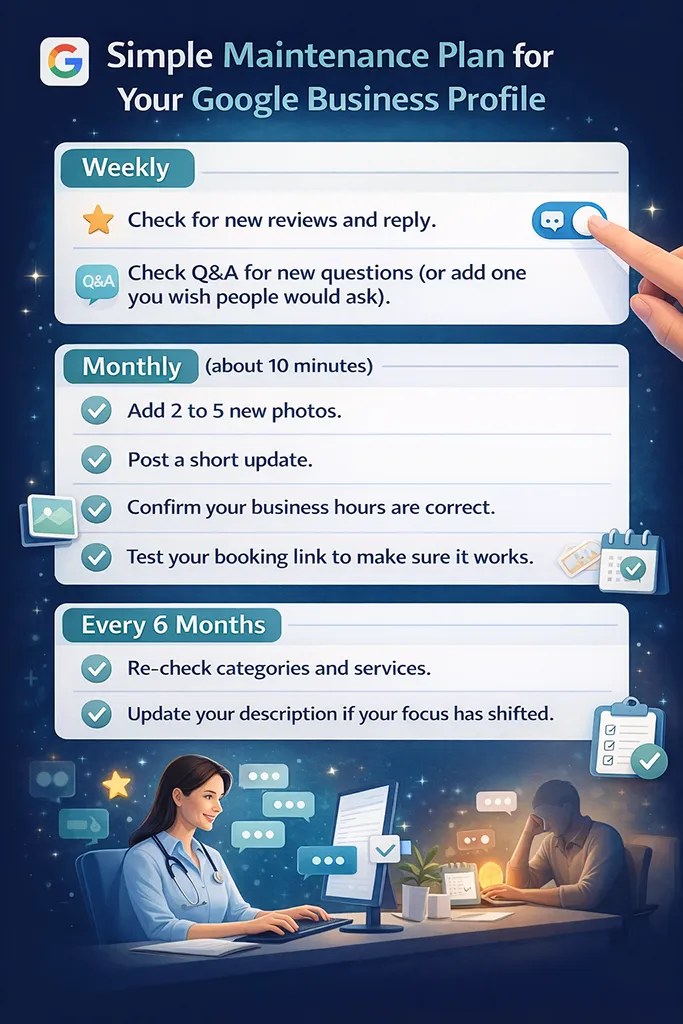
A simple maintenance plan for your Google Business Profile that’s realistic:
Weekly
Monthly
Every 6 months
These steps keep your listing fresh and help it stand out in local search results. If you like structure, set repeating calendar reminders. This is the kind of task that’s easy to forget, until it’s suddenly very obvious it’s been forgotten.
Your next steps (so this actually gets done)
Open your Google Business Profile today and do a quick completeness check for your private practice. Start with name, address, phone, hours, and booking link, because those are the deal-breakers.
Then add a short, calm description and five real photos. Finally, set a repeating reminder for reviews and monthly updates, so your profile keeps working in the background.
A well-kept profile drives local SEO and builds trust before you ever speak to a new client. That’s the point for every solo practitioner.
Please Share
Have you got a question that I haven’t answered here? Drop it in the comments. This space is for sharing, not just reading. Sometimes the best advice comes from those who’ve been in the same shoes.
Let’s build a supportive community where no one has to figure it all out alone. And if this helped you today, consider passing it on to a colleague who might need it – a little support goes a long way.
Please pin one of these images to your main business tips board