Building an Online Presence for Your Solo Health Clinic (Without Living on Social Media)
When it comes to building an online presence as a solo clinician, you don’t need to be everywhere. You just need to be clear about what you do, in a few key places, where the right clients already look.
That might be real-life places (community centres, local groups, coffee meetups) or it might be online spaces. Think: who do you want to treat, and where do they hang out? Once you’ve got that answer, your online presence becomes much simpler, and a lot more effective.
Your online presence has one job: Find, Trust, Book
Your online presence doesn’t need to entertain people. It doesn’t need to show you dancing. It doesn’t need to keep up with trends.
It has one job: Help the right people find you, trust you and book you.
That’s it. Everything else is optional.
Keep that in mind and it gets much easier to decide what to do, and what to ignore.
Make it easy to find you
If someone hears your name from a friend, sees a leaflet, or searches “acupuncture near me”, where do you want them to land?
You need a home base that you control.
Start with a simple website as your hub
Even a very simple website does a big job: it gives people one clear place to understand what you do and how to book.
A website is also yours. Social platforms are borrowed space. If your only presence is on social media and your account gets locked or blocked, you’ve suddenly got no reliable way to be found.
I chose to have my own website as my home base. I’d already managed a website before, built around the craft classes I ran. The content was different for my acupuncture business for sure, but the structure was the same.
If you don’t have a site yet, don’t wait until you can afford something fancy. You don’t need fancy. Start with a one-page website that covers the basics (you can always add more later).
A clean one-page clinic website usually includes:
Set up your Google Business Profile (this is non-negotiable for local clinics)
For most solo clinics, Google does a lot of the heavy lifting. People search by location and problem, then they pick from the map results. I discovered that a lot of the people who found me online, did so from Google search initially.
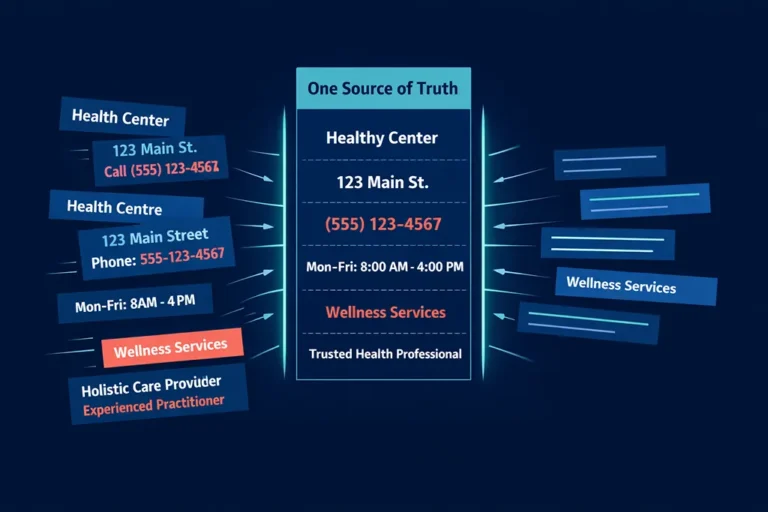
Your Google Business Profile needs to be complete and consistent.
Use your real clinic name, address, and phone number, and keep it the same everywhere you list your business. Consistency helps Google trust the listing, and it helps clients feel confident they’ve found the right place.
When you write your services and description, use plain phrases people actually search for, such as “acupuncture in Scarborough” or “physio for back pain in Springfield”. Put these phrases in your headline and key sections on your website too.
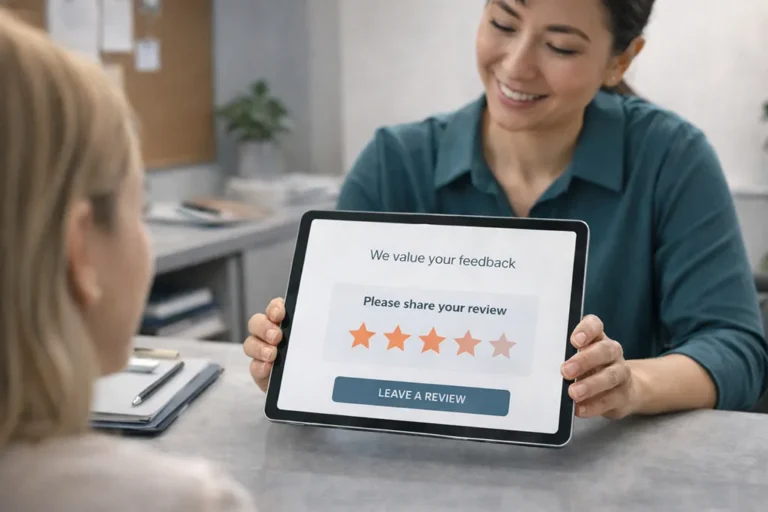
And if you have reviews, make sure they’re easy to find. Reviews act as reassurance without you having to “sell” yourself.

Build trust
Once people can find you, the next question they’re asking (even if they don’t say it out loud) is: “Is this person for me?”
Trust comes from clarity.
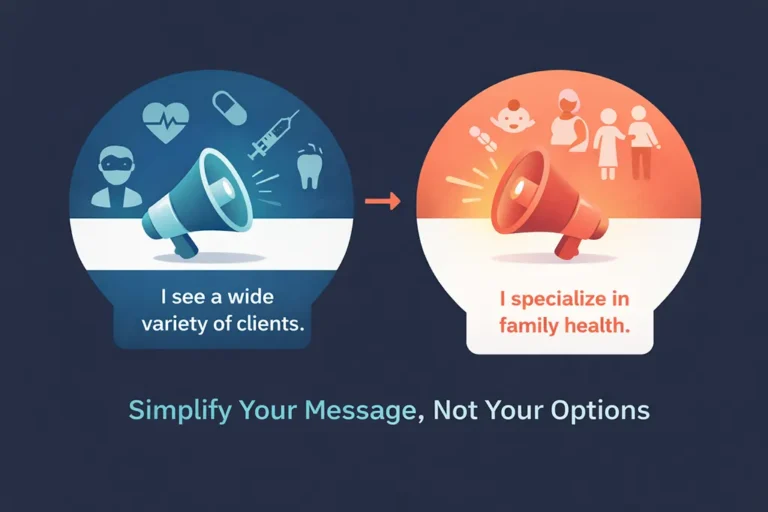
Stop trying to help everyone (it makes you harder to trust)
If your website says you help all people with all conditions, it sounds generous, but it often has the opposite effect. People can’t tell if you’re talking to them.
I started out trying to show people how many different conditions acupuncture could treat. My business started to grow when I narrowed down my messaging to pain management for women over 50 (and many of my clients were men!).
When you describe a specific problem you help with, the right client feels seen. Even someone who isn’t a perfect fit will still get a clearer sense of your approach, which often makes them more comfortable reaching out with questions.
A helpful way to think about it is this: your site isn’t a clinical textbook. It’s a signpost. It helps someone decide whether to take the next step.
Explain your work like a human, not a brochure
Use the same language you use in clinic when you’re speaking to a new client.
If you say something like “I take a holistic approach”, explain what that means in real life.
For example, I explained my version of “holistic” as meaning that I looked at the whole picture and was willing to work on more than one issue in a session. That matters, especially as my clients were used to the UK GP system where you’re only allowed to talk about one problem at each appointment.
The more your website sounds like a real person, the easier it is to trust what you’re offering.
If you have testimonials, include them near your services or booking section. They’re proof, but they don’t feel pushy.
Show your face and your space (yes, even if you’d rather hide)
Healthcare is personal. People want to know who they’re booking with.
You don’t have to become a full-time video creator, but you should show enough that someone can think, “Yes, I’d feel comfortable with them.”
A few simple trust builders:
A friendly headshot: It helps people recognise you when they arrive, and it lowers first-visit nerves.
Clinic photos: Treatment room, entrance, waiting area (if you have one). People like knowing what to expect. It doesn’t have to be professional level photography – a calm, real look at your clinic space reassures people, and has been shown to affect health outcomes.
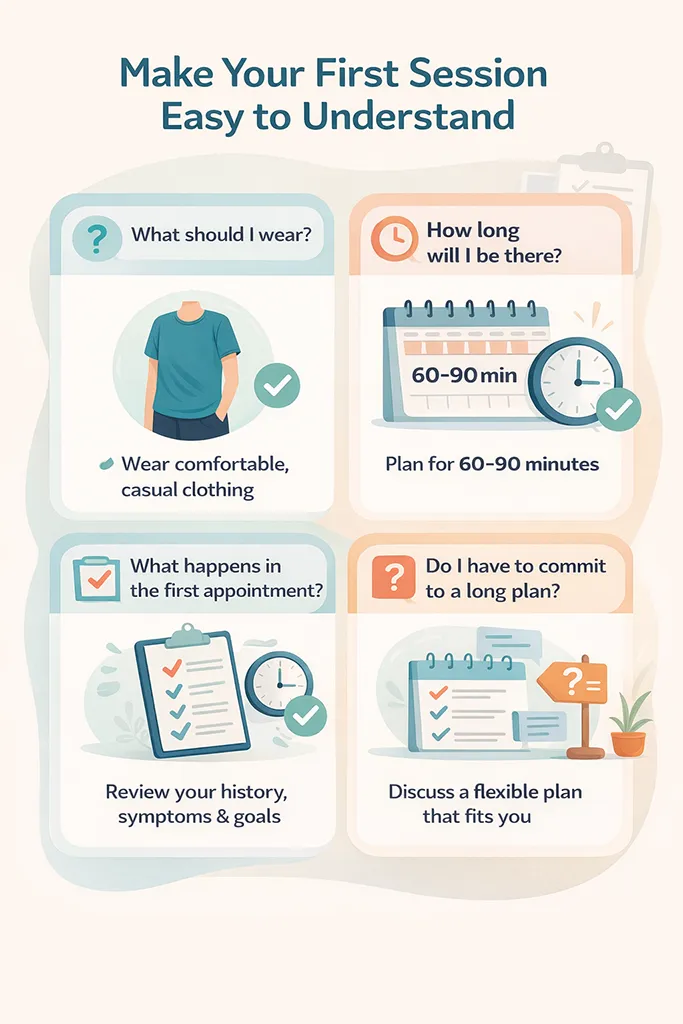
Make your first session easy to understand
A lot of booking hesitation is practical, not emotional. People wonder things like:
You can answer most of that upfront.
Explain the first session step by step
You don’t need a novel. A simple step-by-step outline works well, such as:
If you focus on a certain type of client or a small set of common issues, this gets easier because your treatment plans tend to follow a familiar pattern (with personal tweaks, of course).
I included some of this on my website but I also offered a short, free telephone/videoconference consultation. This included talking them through this same outline and gave them the benefit of being able to ask questions.
Add a short FAQ (keep answers short)
Talking of questions, a FAQ (Frequently Asked Questions) section is a quiet trust builder. It shows you understand common concerns, and it saves you repeating the same explanations over and over.
Good FAQ topics include:
Make it easy to book
If someone is ready to book, don’t make them hunt for the next step. They won’t. They’ll click back and choose someone else.
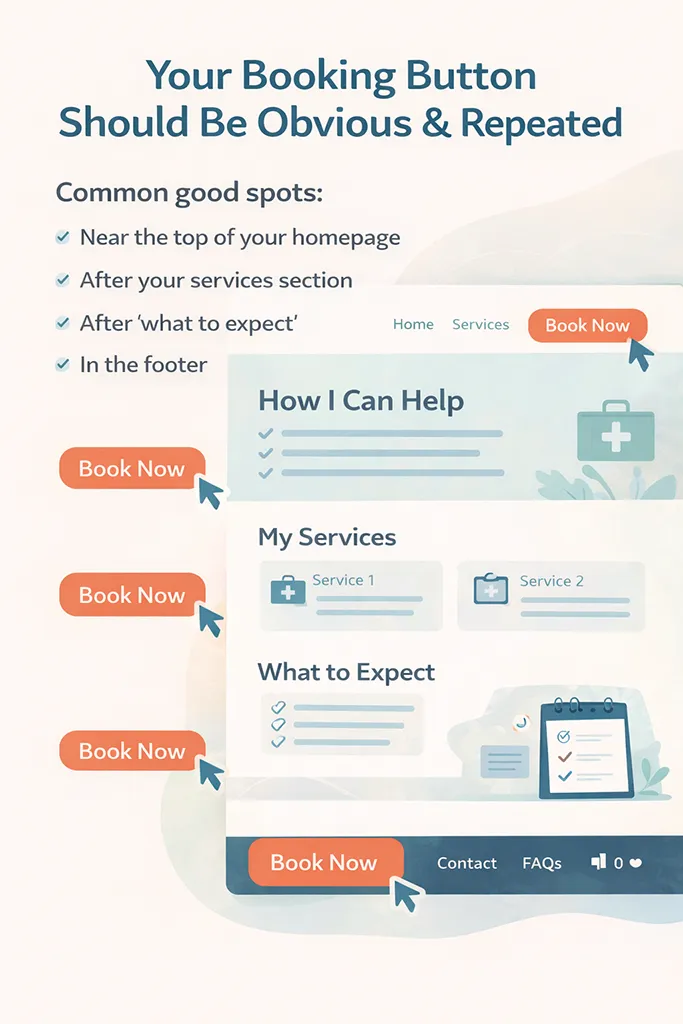
Put your booking button in more than one place
Your booking button should be obvious and repeated.
Common good spots:
If you offer online booking, brilliant. If you don’t, keep the contact route straightforward.
A simple contact form works well, as long as you set expectations. If clients need to call or text first, make it clear when they can reach you. During treatments you won’t be answering, and that’s normal. Just say so.
Make pricing clear and simple
You don’t need to list every possible scenario, but you do need to give people enough information to decide whether it’s within their budget.
At minimum, include:
If you offer packages, explain who they suit. Keep it plain and practical, not salesy.
One useful mindset shift: when you hide pricing, you don’t create curiosity, you create extra effort. Most people won’t chase you for details.
What to ignore (so you don’t waste your energy)
There’s plenty you can skip without losing bookings.
Here are the big ones:
If your website and your Google listing are solid, you’ve already done most of the work for a local clinic.
Common mistakes that quietly cost you bookings
These are easy to miss because nothing “breaks”, you just get fewer enquiries than you should.
If you fix just one of these, you often see a difference.
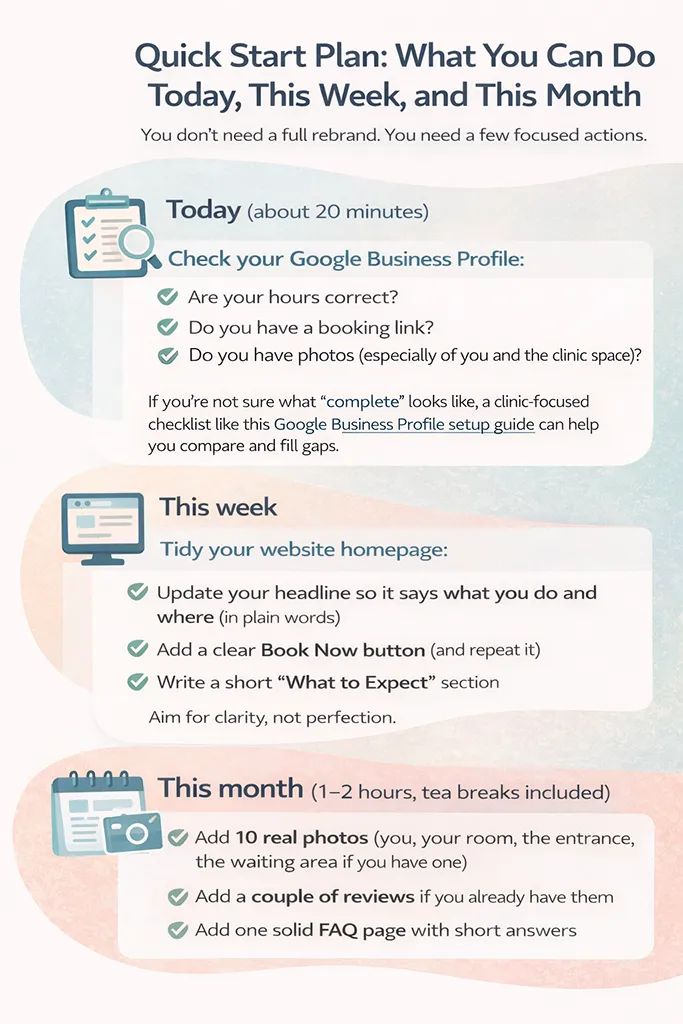
Quick start plan: what you can do today, this week, and this month
Make sure you’re set up with a solid base. You don’t need a full rebrand. You need a few focused actions.
Today (about 20 minutes)
Check your Google Business Profile:
This week
Tidy your website homepage:
Aim for clarity, not perfection.
This month (1 to 2 hours, tea breaks included)
If you don’t have reviews yet, leave that part for now. You can add a simple system for collecting them later.
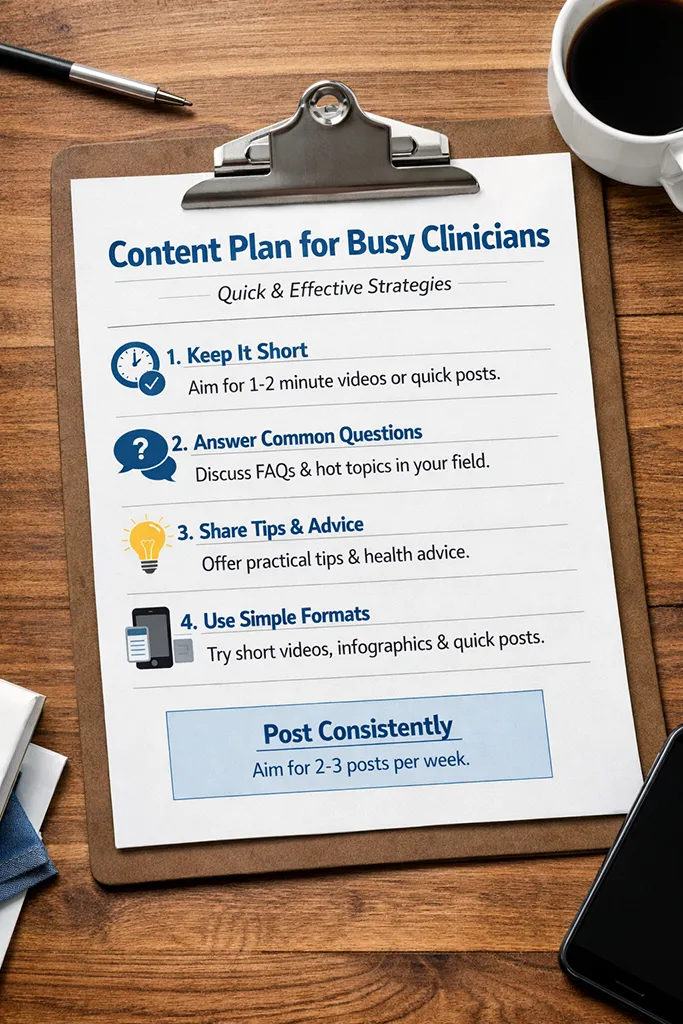
A simple content plan for busy clinicians
To keep your online presence working for you once it’s in place, you don’t need a content calendar that looks like a military operation. You need a few repeatable habits.
Your weekly minimum
One short post: Answer one question you hear all the time in clinic.
One story or photo: A picture of your treatment room, a small tip, a “behind the scenes” moment (nothing confidential, obviously).
That’s enough to stay present without taking over your life.
Monthly trust builders
Once a month, choose one:
A longer website article: Something that explains a common issue you treat, or what a first appointment is like.
An FAQ update: Add one new question you keep getting.
A Google Business Profile update: A seasonal tip, a clinic note, or holiday opening hours.
If you want the wider “why” behind having a simple plan that supports bookings, it can help to read how to grow your solo clinic with a clear plan. It ties in nicely with keeping your marketing focused and doable.
Repeat-forever topics (pick one a month)
Some topics don’t expire, which makes them perfect for your website:
Write one, publish it, and it keeps helping new clients for years. You only need to update it if something changes.
Keep it simple, keep it clear
When you focus on find, trust, book, you stop doing random marketing tasks and start building an online presence that actually supports your clinic.
Pick one action you can do today, even if it’s just adding a booking link to Google or writing a clearer homepage headline. Small changes stack up quickly, and your future self will be very pleased you did it.
Please Share
Have you got a question that I haven’t answered here? Drop it in the comments. This space is for sharing, not just reading. Sometimes the best advice comes from those who’ve been in the same shoes.
Let’s build a supportive community where no one has to figure it all out alone. And if this helped you today, consider passing it on to a colleague who might need it – a little support goes a long way.
Please pin one of these images to your main business tips board